
Introduction
I was reading hacker news the other day, as one does when one wants a mix of interesting information and people who can’t see the wood for the trees.
I’m working for Cloudflare at the time of writing, and we’ve recently released a bunch of stuff into the wild.
Among those things, we have a new email service; that has been framed heavily for use by agents (as marketing is wont to do)
And naturally, there were some somewhat sarcastic comments about this (as hacker news is wont to do)

“Fax support for agents”? thought I? Why not!
Building an agentic fax machine!
So, what do we need to do that? Well first up, we need a fax machine!
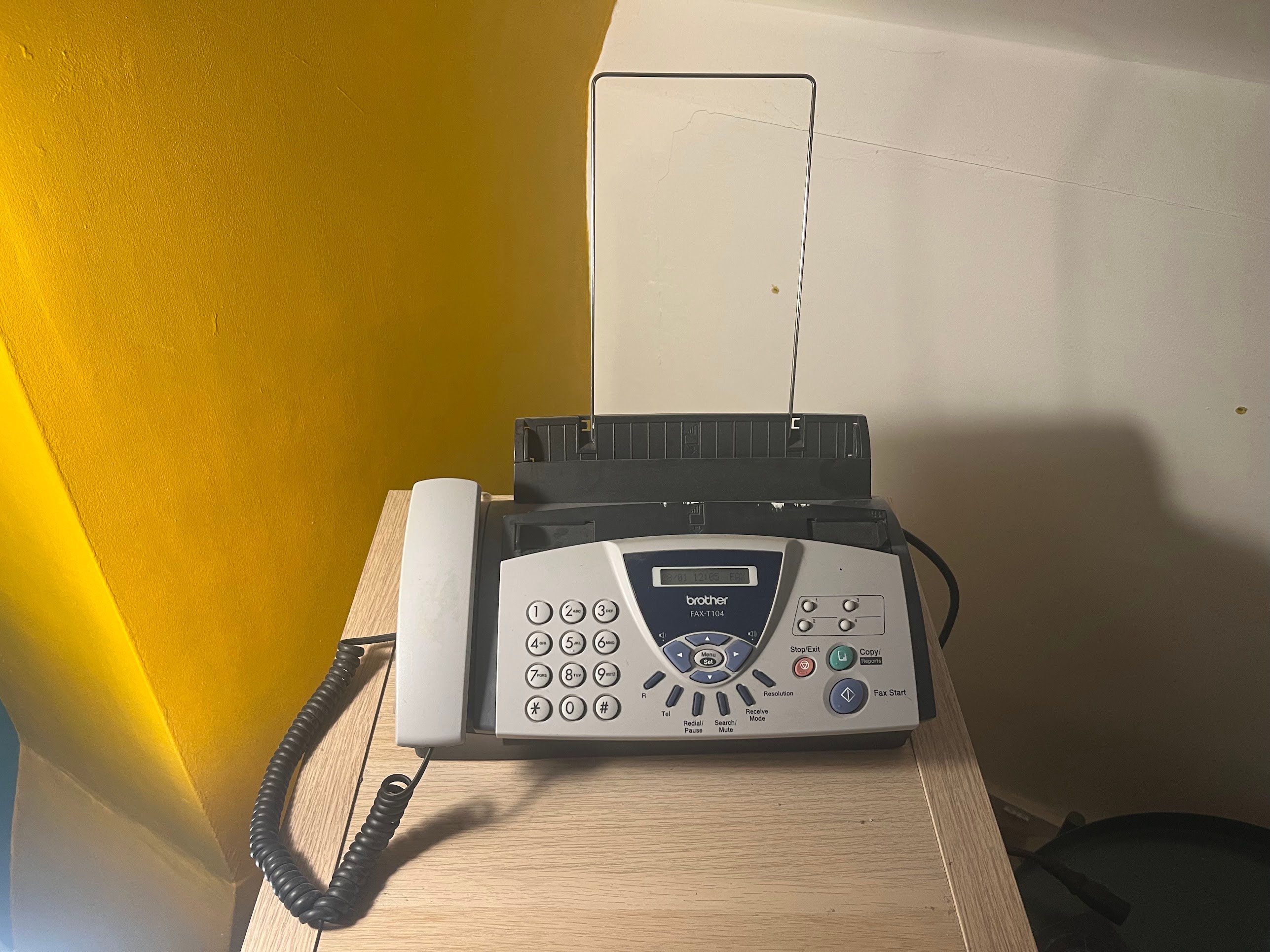
Perfect! An elegant {form of communication} for a more civilized age! Now, how to actually do something… useful with this?
Fundamentally it’s going to need to look something like this, but the steps from Fax Machine to Internet were not super clear.
graph LR
    A[Fax Machine] --> B[Internet]
    B[Internet] --> C[AI Model]
    C[AI Model] --> B[Internet]
    B[Internet] --> A[Fax Machine]
Fax machines work on phone lines and I am young enough that a landline is not something I’ve ever possessed.
As such, we require venturing into VoIP territory! This isn’t a bad thing anyway, as it gives us some flexibility with what I can do with this in the future.
More purchases!
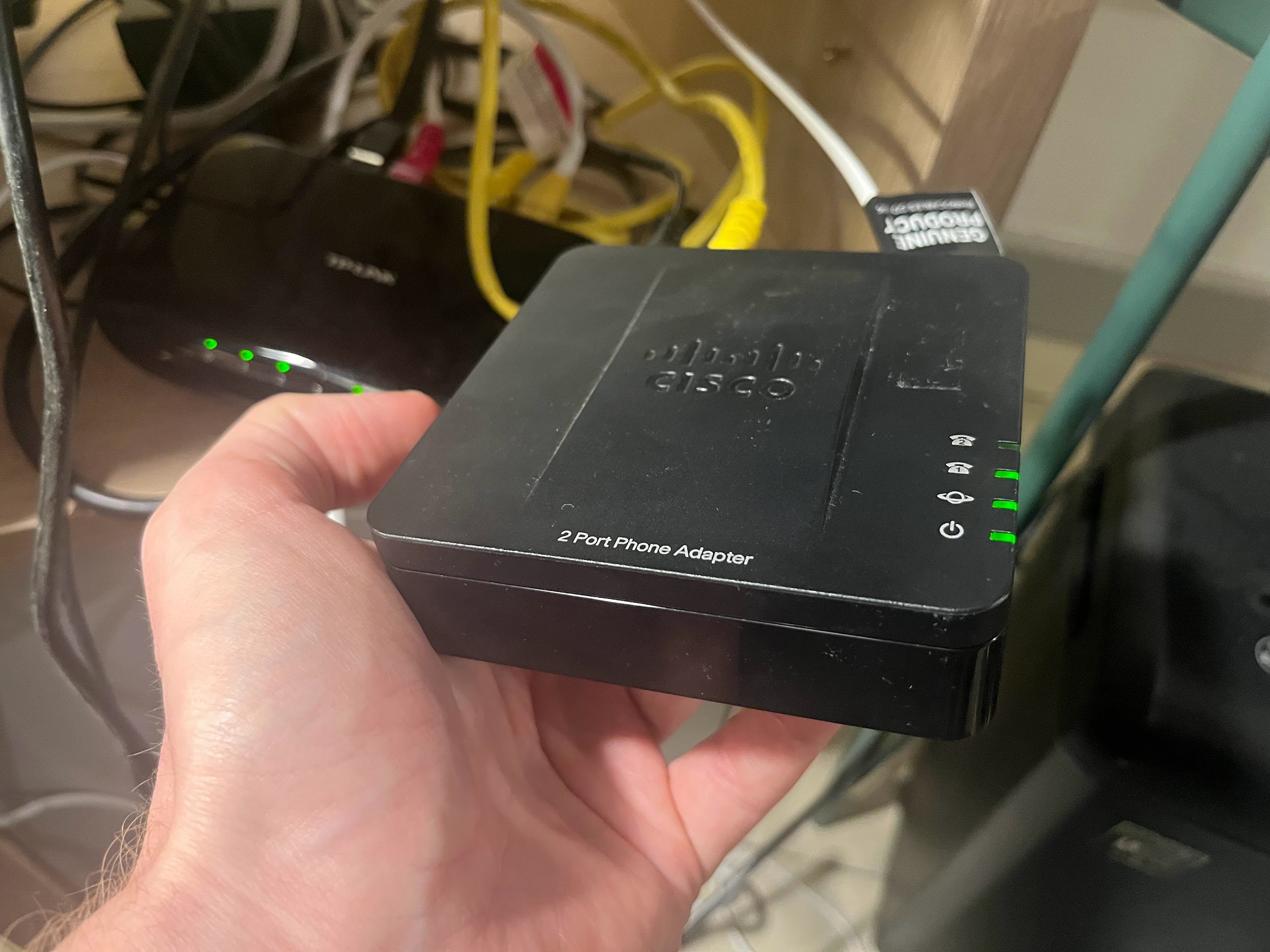
Wanting to use VoIP means that we have to have something that will take our phone line connection and allow us to pretend it’s a VoIP phone.
Continuing my quest to rescue out-of-support hardware from ebay, I found a Cisco SPA112 phone adapter.
A VoIP provider!
Next we need to actually connect to someone! At a previous workplace, I ended up in the unfortunate position of being someone who had to deal with our VoIP phones, so I signed up to voipfone and got to relive my past trauma.
I want to say setting it up as a phone was easy, but I bought this fax machine a long while ago and hadn’t made any progress, so clearly something wasn’t obvious to me in times of past.
Regardless, I set it up as a regular phone number, copied their settings to the SPA 112 and I could phone people via the handset! Great! That’s Input -> Phone line! Now, to internet!
Fax -> Email
If we’re sending stuff via a fax machine to the internet, we need an actual fax number to be able to call, then we need to be able to get that stuff out digitally.
Luckily, there are a number of services that provide this service - most of which I assume are running on fumes.
Voipfone actually does provide a service for this. “Fantastic!” I thought - creating a fax number, then attempting to send it a test fax.
“Bleep bleep bleep” was the response. This was followed by a lot of trying different configuration settings on the fax machine, on the VoIP adapter and in voipfone to no avail.
After doing some Googling, I discovered FaxBetter, which from what I can tell seems to fill the same role as a disposible email site, but for faxes. I sent it a fax and it sent! Their web UI had my faxed message! (or to be more accurate, the back of my faxed message as I joined the masses of people who have sent blank paper over the phone.
Turns out if I ring my fax machine number from my mobile I get the fax tones - looks like something is setup wrong (at the time of writing) on their side so VoIP phones aren’t being routed correctly. I got a confirmation from support so hopefully this’ll be fixed at some point? Not holding my breathe though.
Luckily, they’re not the only people doing this (just by far the most convenient). While twilio has turned off their Fax API (seemingly), Dropbox at some point clearly thought this would be a great way to get more to store more content with them.
After following an account creation process which made me very suspect that anyone has touched this in a few years, I got an account and a new usable fax number!
Progress! I now have a number I can fax to and I’ll get an email a short time later with an attached PDF (argh!) with an image enclosed of my fax.
Email —> Internet
Getting stuff delivered to your email is all well and good, but it’s not… well, all that helpful. You need to be able to hook into that email.
Well, luckily most of my domains are hooked to Cloudflare and we have an email routing product! I normally use this for wildcard forwarding from my domain (nice for giving out emails that you suspect companies will spam), but we also support routing messages to workers.
If you’re unfamiliar with this (which is fair!), one of Cloudflare’s aims these days is to win developers running their software in Cloudflare atop of something called workers - this is a bit like AWS Lambda, it allows you to run and deploy (primarily) JS without having to worry about servers or the like.
Typically it responds to HTTP requests, serving websites to the masses. Something I was unaware of before I started messing with this project however was that we can also rig it to process emails. Perfect! I gave it a try and after messing around with the UI (that clearly was very much in flux at the time) I had the ability to read and process emails! Woo!
…or at least, I would have, but one of the downsides of the dropbox fax service is that it doesn’t support me routing emails to somewhere. It’ll only send them to my main email address (and I foolishly gave them my actual email!)
Still, one hacked together Gmail filter means that any messages that match the pattern get forwarded onto my special fax handling email address and we’re good to continue!
Internet —> Agent
This leaves me on something with compute and an email with an attached PDF.
Another quite neat thing that Cloudflare offers is Workers AI - this allows you to write stuff that interacts with Agents very easily:
const aiResponse = await env.AI.run('@cf/moonshotai/kimi-k2.5', { messages: [ { role: 'system', content: 'You are a helpful assistant. The user has sent you a message via fax. Respond to their message directly and helpfully. Do not acknowledge that you are an AI. Do not request any follow up actions.', }, { role: 'user', content, }, ],});The problem is that it still has to understand what you’ve sent it and it does not like PDFs. It will however take images - so the next step was taking the PDF and getting it to look more image’y.
I’ve spent some time in the past working for a company that specialised in accessibility - part of which involved dealing with PDF parsing. I can say with certainty that I have no intention of ever having to care about PDF parsing again. The information has started to leave my brain and I have no desire to keep it there.
As such, at this point I:
- setup a harness to allow a local script to try and convert the PDF
- fired Claude at getting it to work
I hate PDFs so much.
Anyway, there were a couple of mis-steps, but the tl;dr is that with the use of unpdf and some additional hacks to deal with the fact that it’s a grayscale PDF, we ended up with an image that we could successfully get processed by Kimi and answer whatever our heart desires!
Agent —> Fax machine
So, while voipfone’s fax receiving service didn’t want to play ball with my setup - they also have an email sending service. This is triggered by sending an email from your email address with a PIN in the subject and an attached PDF. Thankfully, a quick test of this worked fine! The fax machine chucked out a response as we hoped!
So, only really two remaining problems:
- converting the response we had into a PDF
- sending an email
If you recall back at the start of this blog post I talked about how Cloudflare had just released an email service - “Perfect!”, I thought.
Unfortunately, in order to send an email to an arbitary email address you have to go through a classic “email verification” phase, where Cloudflare will say “Hi! They’re wanting to send you an email? You okay with that?”
This can’t work for us as it’s a dumb service endpoint on the part of voipfone, so any email we send there will be lost to the ether (unless of course it had a PDF attached)
This left two options as far as I could tell at the time:
- hook this up through my email again (send an email to my gmail, have my gmail forward it) - this wouldn’t actually work as their security is that the subject line should be nothing but a PIN (and I’m pretty sure it’d have Fwd: {PIN} if I did this)
- hook up an email service on a server somewhere where I’m not subjected to companies desperately trying to keep their sender verification and hope that voipfone isn’t overly precious about sender reputation
Sooo, the last piece of this puzzle involved me:
- writing a node app on my webserver that would take the request and send the email
- setting up an email server on my webserver (nooooooo)
This app also ended up being in charge of generating the PDF, as sending a bunch of text over an HTTP request is much less effort than sending a PDF file.
A bunch of fights occurred here around assorted nuances (setting up DKIM/SPIF and my eternal fight to keep my server infra in a state where I can point my deploy scripts at a new IP and it would be able to bootstrap it to always have everything I need); but none of them I think are particularly interesting.
End to end!
graph TD
    A[Fax Machine] --> B(VoIP Adapter)
    B --> C[Dropbox Fax]
    C --> D(Gmail Filter)
    D --> E[Cloudflare Worker]
    E --> F{Workers AI}
    F --> G[Node.js Helper]
    G --> H(Email Server)
    H --> I[Voipfone]
    I --> A
And finally we have it working! Naturally the input should come from a classic Olivetti Valentine typewriter as it fits the vibe.
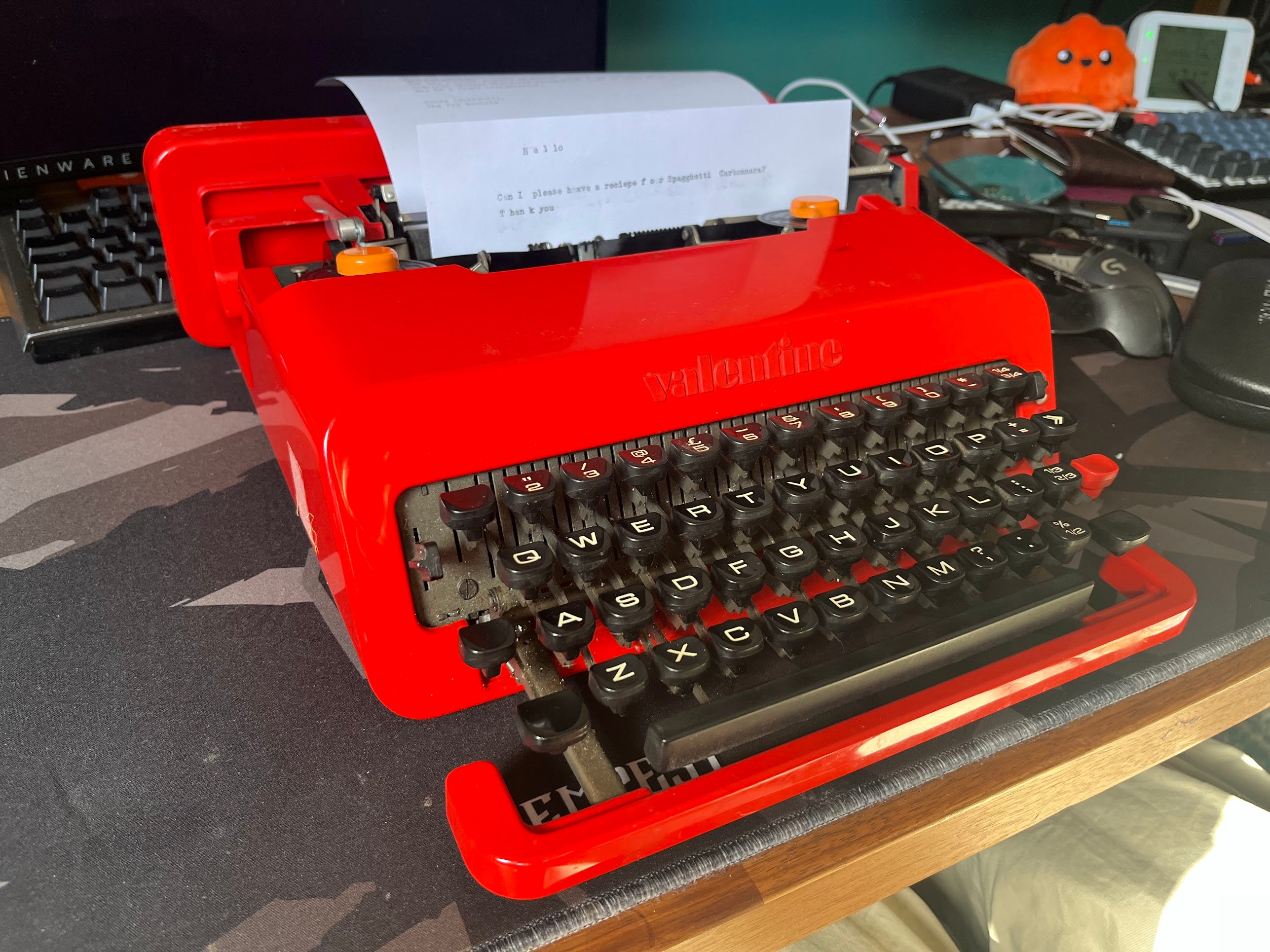
Beautiful!
Reflections
Well, I achieved the brief - it made me manically laugh and that’s more success than most tech projects manage to do for me these days.
The problem for me here is that hooking into AI like this is still kind of soulless. In fact - to some degree, the result of this for me is that I’ve sullied the fax machine - with an open prompt it feels like there’s a huge aspect of creativity still missing.
If I pursue this further, then the AI needs to be the least important part - it’s super useful for parsing (e.g. if someone writes text on the paper), but it should not be the goal.
With EMF not a million miles around the corner, my current temptation is to set it up as a way of inputting art - putting supplies (paper, pens and clipboards) next to it and asking people to draw a picture and send it off to a website where I can host an art gallery of sorts.
Whether I should do anything beyond that is a tricky question for me, allowing the AI to have instructions to modify that art at all (even if it’s just adding colour on request of the drawer) feels like it’d reduce the beauty of the art.
If you’ve got any thoughts about where I should go from here, or if you think any of of my (very hacky) code might be useful to you, get in touch!